Yandex Music, Books & Podcasts
- 3.1
- Rating
- 100.00M
- Installs
- Free
- Price

 Analysis by App-foxy
I approach music apps differently from ordinary streaming services because they often become part of my daily routine: they remember what I play, shape what I discover, and may also hold podcasts or books I return to over time. Yandex Music, Books & Podcasts sits in that broader space. It is a free app in the Music & Audio category from Direct Cursus Computer Systems Trading LLC, with music, playlists, podcasts, audiobooks, and offline listening gathered in one place. I found its appeal strongest when I wanted one listening hub rather than separate apps for every type of audio.
Its scale is easy to understand from the audience around it. The app has passed over 100 million installs and carries a 3.1 average from around 1.7 million ratings. That combination tells me two things: it is established enough to have been tested by a very large audience, but the experience is not universally smooth. I would not treat popularity as proof that it is the best choice for everyone. Instead, I see it as a reason to examine how it fits a particular listening routine, especially if account controls and personal data matter to you.
How the listening experience earns trust
My first impression is that the app is designed around continuation. I can move between songs, playlists, podcasts, and audiobooks without treating each category as a completely separate product. That makes sense for someone who listens in changing situations: music while commuting, a podcast while doing chores, and an audiobook before bed. The advantage is not simply having more content types; it is reducing the number of places where I need to search, save, and resume something.
You May Also Like

 AccuWeather: Weather Radar
AccuWeather Review: A Quick, Clear Forecast for Everyday Decisions
For everyday plans, the best forecast is the one you can understand quickly. AccuWeather makes rain timing, radar, and local conditions easy to act on, with a few trade-offs.

 Hill Climb Racing
Why Hill Climb Racing Still Turns Crashes Into One More Run
A tiny car, a bumpy hill and one more upgrade: Hill Climb Racing keeps resurfacing because its simple chaos makes every near-miss feel personal.

 AliExpress - Shopping App
AliExpress Makes Global Shopping Feel Personal, but Shoppers Bear the Risk
AliExpress turns a global marketplace into a pocket-sized discovery engine. Its reach is useful, its shopping loop compelling, and its trade-offs easy to miss.

 Lords Mobile: Kingdom Wars
Lords Mobile Is a Kingdom-Building Routine, Not a Quick Match
A case-by-case verdict on the building, battles, device demands, and social commitments that make Lords Mobile rewarding for some players and exhausting for others.

 PDF Scanner app - TapScanner
TapScanner Makes Paperwork Easier to Capture, Check, and Share
TapScanner makes scanning with a phone feel less like a rescue operation and more like a dependable step in getting work done. Its capture tools are useful, though not flawless.

 Block Blast!
 Shows How Much a Puzzle Game Can Leave Out
A quiet grid game shows why puzzle players increasingly value instant clarity, repeatable skill and low-pressure play—and where the genre still needs to catch up.
More From Our News Desk
View All News


The developer, Direct Cursus Computer Systems Trading LLC, is clearly identified as the company behind the app. That basic transparency matters because an audio service is not just a player. It can become connected to a listening history, saved material, and personal preferences. I prefer knowing which organization is responsible for the product before I decide how deeply to use it.
The app was released on December 5, 2016, so it is not a new experiment trying to prove that an all-in-one audio library is useful. Its long presence also explains why the interface tries to cover several habits at once. In my experience, that breadth can be convenient, but it can also make the app feel less focused than a dedicated audiobook player or a minimalist music player.
The most important trust question is not whether the app has many sections; it is whether I remain comfortable managing what I choose to share and save. I would start by reviewing the account and privacy choices during setup, rather than accepting every prompt quickly. That is a sensible habit with any service that builds recommendations from personal activity, and it is particularly relevant here because music, podcasts, and books can reveal different parts of my interests.
One account, several listening routines
Yandex Music, Books & Podcasts makes the most sense for people who dislike switching between services. I can imagine using it on a weekday morning to play a familiar playlist, changing to a news or conversation podcast on the way home, and then continuing an audiobook later. That workflow is more valuable than any single category by itself. The app becomes a general audio shelf instead of a tool I open only for songs.
There is a trade-off, though. A combined catalog can make navigation feel busier. Someone who only wants albums, artists, and a queue may find the extra podcast and audiobook material distracting. If I were choosing an app exclusively for careful music library management, I would compare this experience with a service built around albums and collections first. Here, convenience comes from variety, not from extreme simplicity.
The free price lowers the barrier to trying it. I can explore the basic experience without making an upfront purchase, while in-app purchases are listed at $2.99 per item. I would still check the purchase screen carefully before confirming anything, especially when moving between different kinds of audio. A low individual price can feel harmless, but repeated purchases deserve the same attention as any other digital spending.
The content rating is Teen, which is useful context for families. I would not interpret that label as a promise that every song, podcast, or audiobook is suitable for every younger listener. Parents should still use the account and device controls available to them and decide whether the app fits the child’s age and listening habits. The label helps set expectations, but it does not replace supervision.
Offline listening is useful, but it changes the workflow
Offline playback is one of the more practical reasons to consider the app. I value it when a connection may be unreliable, when I want to avoid depending on mobile data, or when I am traveling through areas with poor reception. The key is to prepare before leaving. I would save the albums, playlists, podcast episodes, or audiobook material I expect to use while connected, then test the offline queue before relying on it.
That last check is easy to skip. A title may appear in my library without every part being ready for offline use, and a long audiobook requires more planning than a short playlist. I would also avoid downloading everything at once. Selecting a small travel set keeps storage use under control and makes it easier to find what I actually intended to hear.
Offline access is not the same as permanent ownership. I think of it as temporary access for listening without a connection, not as a way to create an independent archive of files. That distinction matters if you are replacing purchased music or locally stored audiobooks. For a person who wants complete control over files, tags, backups, and playback on any device, a local library or a different service may be a better fit.
Recommendations are convenient, but they need supervision
Personalized discovery can save time, particularly when I know the mood I want but not the exact artist or program. I would use recommendations as a starting point rather than as an unquestioned description of my taste. The reason is simple: one unusual listening session can influence what appears later, and a shared device or family account can blur whose preferences the app is learning from.
A practical approach is to separate deliberate listening from background experiments. I might use a focused playlist when I want predictable music, then explore suggested tracks in a separate session. If a recommendation is genuinely useful, I can save it intentionally. This gives me more control over the shape of my library than passively accepting every suggestion.
The same idea applies to podcasts and audiobooks. A single subject I investigate for work or school should not necessarily define what I want to see every day. I would search directly when I have a specific goal and use recommendations only when I am in discovery mode. That small distinction makes the app feel less like it is deciding for me.
Controls, personal data, and everyday confidence
Because the app covers several forms of audio, I would pay attention to the choices presented around account access, saved content, and personalization. I do not want to assume that a convenient feature has a particular privacy behavior unless the app explains it clearly on screen. My method is straightforward: read each permission or account prompt, decline anything unnecessary for the task I am trying to do, and revisit settings after I have used the app long enough to understand what I actually need.
This is especially important during moments that feel harmless. Searching for a song, browsing a podcast topic, or sampling an audiobook may seem temporary, but those actions can become part of the experience that shapes future recommendations. I would avoid treating private or sensitive listening as casual browsing if I am uncomfortable with it influencing my account. When possible, I would use the app’s visible account controls to review or manage saved activity rather than assuming that deleting a title from a playlist removes every related record.
I also recommend checking the account before sharing a device. A phone passed to a friend or family member can quickly produce a mixed listening history. That is not a defect unique to this app, but the effect is more noticeable when music, podcasts, and books all contribute to one personalized environment. Separate profiles or accounts are preferable when they are available and practical; otherwise, I would keep shared listening deliberate.
Another data-sensitive moment occurs when installing the app on a new phone. I would sign in carefully, confirm that the expected library and listening progress appear, and then inspect the account controls before starting a large download. This gives me a chance to notice whether the setup matches my expectations. It also prevents the common mistake of granting broad access simply because I want to resume listening quickly.
What I would check before making it a main app
I would begin with a short trial focused on my real routine rather than judging the app after playing one song. I would search for a few artists I already enjoy, try one playlist, resume a podcast, and test an audiobook. Then I would prepare a small offline selection and see whether the navigation remains comfortable when I move between categories. This reveals much more than the promotional summary does.
I would also check whether the app’s available catalog suits my language, region, and preferred genres. A broad service can still be disappointing if the particular artists, podcasts, or books I care about are missing or arranged differently from what I expect. Catalog fit is personal, so I would not assume that a high install count guarantees the right selection for me.
Notifications deserve a quick review as well. I prefer alerts that help me resume something I intentionally follow, not a constant stream of suggestions. If the app presents notification choices, I would keep only the ones that support my routine. This is a small adjustment, but it can make an all-in-one audio app feel calmer and less demanding.
For families, I would make the decision more carefully. The Teen rating means I would not hand over the app without discussing what the listener can access. I would also avoid using one account as a family-wide listening diary if different people have different privacy expectations. A shared library can be convenient, but shared personalization can be confusing and may expose listening interests that someone would rather keep separate.
Where it beats familiar alternatives
Compared with using one music service, one podcast app, and one audiobook app, this product’s strongest advantage is consolidation. I can keep more of my listening in one place and switch formats without changing my entire workflow. That is particularly helpful for people who value convenience over specialized controls.
Compared with a dedicated podcast app, it may feel less focused if my main need is episode management, detailed show organization, or a highly customized podcast queue. Compared with a dedicated audiobook app, I would prefer a specialist when book progress, chapters, collections, and long-form reading are my only priorities. Compared with a local music player, this is not the obvious choice for someone who already owns a carefully organized file library and wants full offline independence.
Those comparisons do not make Yandex Music, Books & Podcasts weak; they clarify its role. It is a flexible generalist. I would recommend it to someone who wants music discovery, spoken audio, and books together, especially if offline listening is useful. I would steer a specialist user elsewhere when one category demands deep organization or complete ownership.
Small habits that improve the experience
My first useful habit would be creating purposeful playlists instead of saving everything into one large collection. I would make separate groups for commuting, concentration, travel, and relaxed listening. This makes offline preparation faster and reduces the chance of starting the wrong kind of audio when I have limited time.
My second habit would be checking the queue before beginning a long session. Music, podcasts, and audiobooks behave differently, and an old queue can produce an awkward transition. A quick review prevents a short listening break from turning into an unintended hour of unrelated content.
My third habit would be treating downloads as a planned kit. Before a journey, I would select a few dependable music choices, several podcast episodes, and one audiobook section rather than downloading indiscriminately. I would then switch off connectivity briefly and confirm that the intended material starts. This is more reliable than discovering at the station, on a flight, or in a basement that preparation was incomplete.
My fourth habit would be using direct search when I want to keep recommendations clean. If I am researching a temporary topic, I would search for it directly and avoid saving every result. If I discover something I genuinely want to revisit, I would add it deliberately. This gives me more agency over the app’s long-term suggestions.
Who should use it, and who should skip it?
I think it is a good match for listeners who want one free starting point for songs, playlists, podcasts, and audiobooks. It also suits people who move between connected and offline listening and do not want to maintain several separate libraries. The all-in-one design is most convincing when your day includes different audio formats rather than music alone.
I would be cautious about recommending it to someone who is highly sensitive to account personalization but does not want to review settings. Any service that becomes a central listening history deserves active account management. I would also suggest looking elsewhere if you require a purely local player, a specialist audiobook workflow, or a service whose main strength is advanced music-library organization.
The 3.1 average is a reminder to keep expectations realistic. With such a large audience, experiences will vary by device, catalog needs, account habits, and tolerance for a broad interface. I would not dismiss the app because of the rating, but I would test the exact features I need before moving my entire listening routine into it.
My cautious verdict
After weighing the convenience against the compromises, I see Yandex Music, Books & Podcasts as a practical general-purpose audio app rather than a perfect specialist replacement. Its free entry, wide format coverage, and offline option make it easy to try. The strongest value appears when I want music and spoken content to live together, and when I am willing to organize my own playlists and downloads.
My recommendation comes with one condition: stay involved in the choices. Review account prompts, keep an eye on personalization, manage notifications, and prepare offline content intentionally. I would not assume that a large catalog or a familiar interface automatically matches my privacy preferences. Use the visible controls as part of the listening experience, not as an afterthought.
For a friend who wants a single place for varied audio, I would say it is worth trying, particularly because there is no upfront price. I would start with a small, realistic test and keep a specialist alternative in mind if music organization, podcasts, audiobooks, or local files become the main priority. That balanced approach reflects my experience: this app is most useful when its breadth solves a real problem, and least convincing when I expect it to outperform dedicated tools in every category.
FAQs for Yandex Music, Books & Podcasts
01What is Yandex Music, Books & Podcasts?
Yandex Music, Books & Podcasts is a multimedia subscription app that combines music streaming, audiobooks, podcasts, and selected spoken-word content in one place. During testing, its main appeal was the convenience of switching between playlists, albums, podcasts, and books without installing separate services. Availability of specific features and content can vary depending on your country, account type, and current Yandex subscription options.
02Does Yandex Music, Books & Podcasts require a paid subscription?
The app may allow limited access to some content without payment, but the full experience generally depends on a Yandex Plus or another eligible subscription. Premium access can include ad-free music, offline listening, personalized recommendations, and access to audiobooks or other exclusive content. Before downloading, check the price, trial conditions, renewal terms, and regional availability shown in your local app store.
03Can I listen to music, podcasts, and audiobooks offline?
Offline playback is typically available for eligible music, podcasts, and audiobook content when you have the required subscription. You must download items while connected to the internet, and downloaded files remain accessible inside the app rather than as ordinary audio files. Offline access may expire if your subscription ends or if the application needs to verify your account periodically.
04What kind of recommendations and content does the app provide?
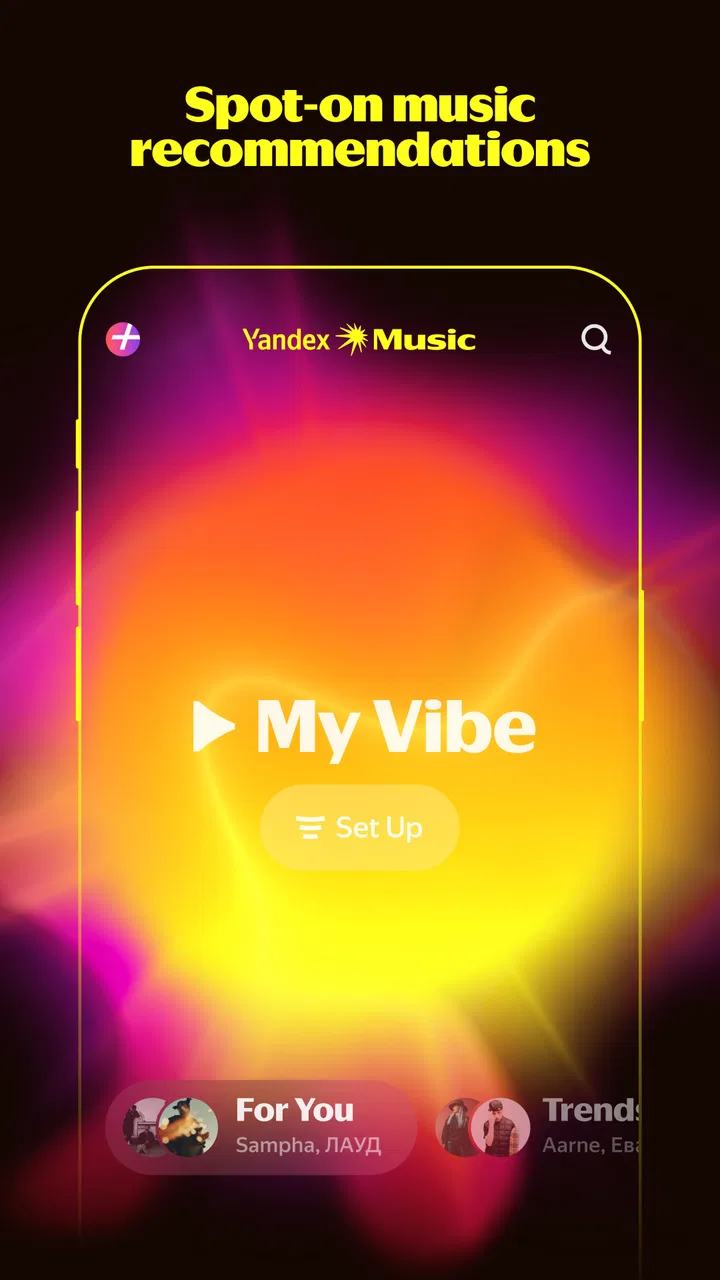
Yandex Music uses your listening history, likes, skips, playlists, and searches to create personalized recommendations. These may include daily mixes, suggested albums, artists, podcasts, and similar spoken-word content. The quality improves as you use the service, although recommendations can sometimes repeat familiar tracks or reflect regional catalog limitations. You can influence results by saving favorites and hiding unwanted suggestions.
05Is Yandex Music, Books & Podcasts available on both Android and iOS?
The service is designed for mobile users and may be available on both Android and iOS, although the exact app name, supported devices, and feature set can differ by region. Some functions may also work through other Yandex-compatible platforms or web access. Before installing, review the store listing for operating-system requirements, permissions, storage needs, and whether the service is officially supported in your country.
Pros
- Personalized playlists adapt well to your listening habits.
- Large catalog includes music
- audiobooks
- podcasts
- and spoken-word content.
- Offline downloads are useful for travel or areas with weak connectivity.
- Lyrics and track information are conveniently available in the player.
- Smart recommendations make discovering regional content easy.
Cons
- Some content and features may be limited outside supported countries.
- A subscription is required for many premium listening features.
- The interface can feel crowded because music and spoken content share one app.
- Podcast and audiobook availability varies significantly by region.
- Recommendations may favor Russian-language content over international releases.

Yandex Music, Books & Podcasts
Gallery